Toolverse
AI writing and image tools in one premium workspace, with Claude, OpenAI, Gemini or free providers.
- automated security checks
- 36automated security checks
- AI tools in one workspace
- 6AI tools in one workspace
- AI keys needed to run most tools
- 0AI keys needed to run most tools
Write articles, brainstorm blog titles, generate images, remove backgrounds and objects, and get a resume reviewed, all in one place. Everything you make is saved, searchable and shareable to a community gallery.
OriginToolverse started as a course project (“QuickAI”). 2.0 is a rebuild.
The original sent raw prompts from the browser and needed five paid keys before it would even start. I wanted the opposite: an app anyone can clone and run for free, that gets better when you add a key, and where the server owns every prompt.
- Q1
How do I support Claude, OpenAI, Gemini and a free provider without four code paths?
- Q2
Where should prompts live so users can't rewrite them?
- Q3
How do I enforce monthly quotas without race conditions?
- Getting startedBeforeNeeded five services' keys just to bootAfterRuns every tool except object removal with no AI keys; better providers switch on when keys are set
- AIBeforeGemini only, raw prompts sent from the browserAfterClaude, OpenAI, Gemini or a free provider; prompts built on the server
- FeaturesBeforeSix forms and a listAfterTool pages with live progress and history, a creations library, a community gallery with likes, plans and usage
- SecurityBeforeUsage counters in Clerk metadata, likes on any idAfterVerified sessions, owner-scoped queries, atomic monthly quotas, signed file URLs, 36 checks
Provider adapters with a free fallback
Each tool asks for “text” or “image”; the server picks the best configured provider, down to a free one, so the app always boots.
Prompts built on the server
The browser sends inputs (topic, length, tone), never a prompt. That closes prompt injection from the client and keeps outputs consistent.
Atomic quotas in Postgres
Usage is counted with one atomic update, not read-modify-write in auth metadata.
A workspace, not a list of forms
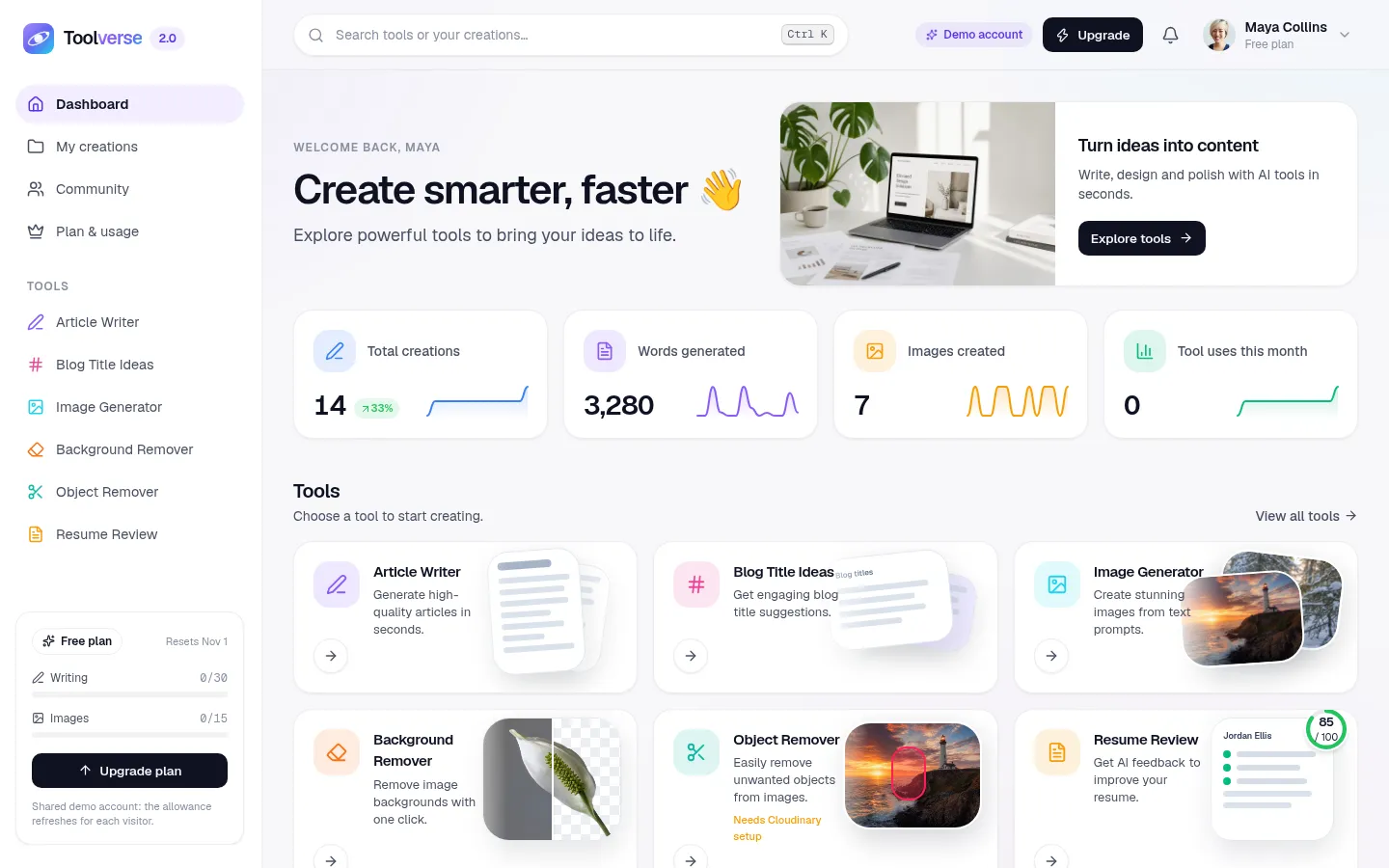
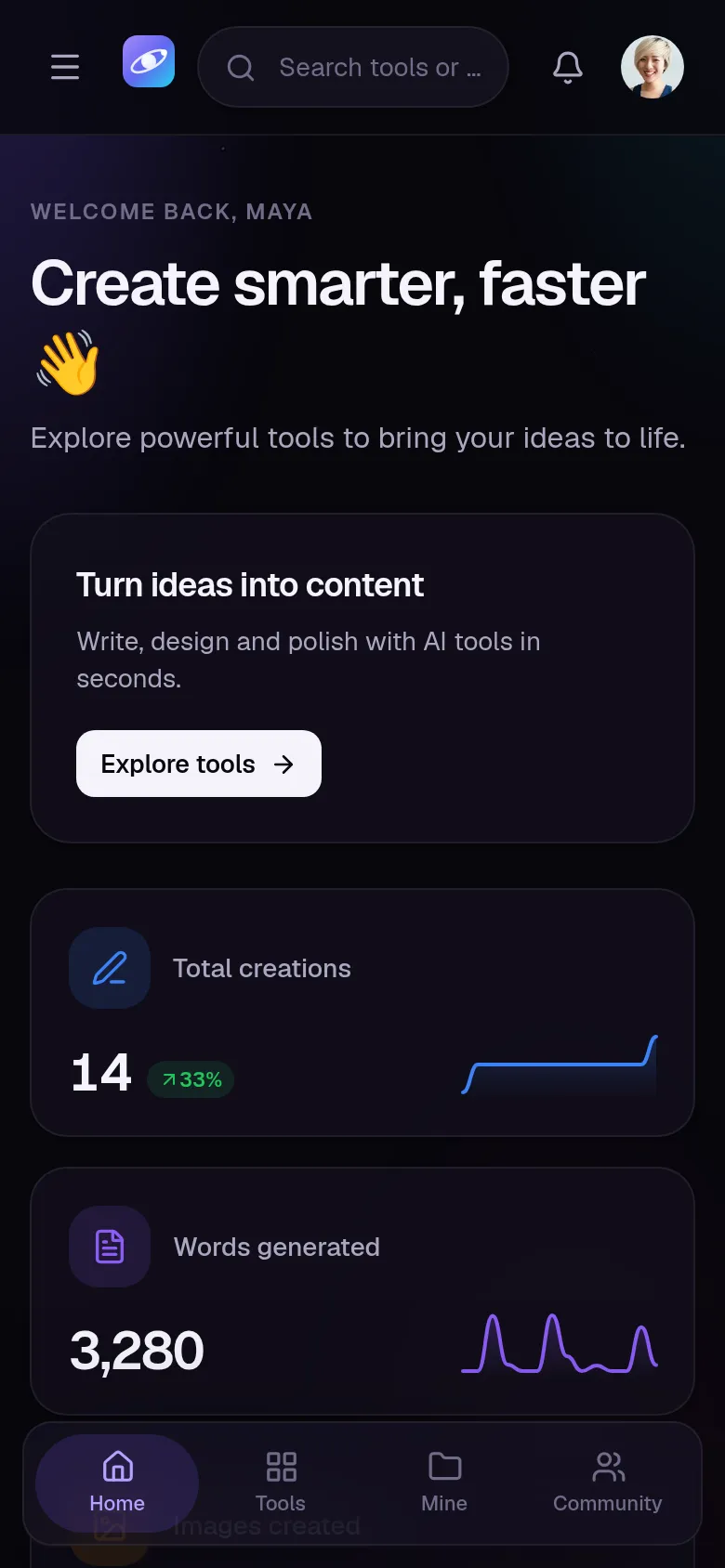
Dashboard with stats and sparklines, Ctrl K search, a creations library and a community gallery make it feel like one product.
- Article Writer with length and tone, Markdown output
- Blog Title Ideas
- Image Generator with 8 styles and 3 aspect ratios
- Background Remover with a before/after slider
- Object Remover
- Resume Review: score out of 100, fixes and missing keywords
- Dashboard with week-over-week stats and 14-day sparklines
- Creations library
- Community gallery with likes
- Plans and usage, light and dark themes
The browser sends inputs; prompts are assembled on the server for every provider.
Users can't read, publish, delete or list each other's creations.
Every generated file is served through a signed link.
The test creates two throwaway users, attacks each rule, then deletes them.
Resume review: extracting a PDF on the server, then returning a score, strengths, fixes, missing keywords and a rewritten summary in a structure the UI can trust.
Design for the developer who clones it, too. “Works with zero keys” made the project far easier to demo, test and share.