Clearcut
Remove image backgrounds in seconds, add a new backdrop and export, with a free on-device AI model.
- automated security checks
- 31automated security checks
- per image with the default on-device model
- ₹0per image with the default on-device model
- engines: IMG.LY, ClipDrop, remove.bg
- 3engines: IMG.LY, ClipDrop, remove.bg
Upload or paste a photo, get a clean cutout, drop in a colour, gradient, blurred original or your own image, and export a ready-to-post PNG, JPG or WebP. Every cutout is saved to your library.
OriginClearcut started as a course project (“bg.removal”): one upload button, a spinner and one download link. 2.0 is a rebuild.
The original paid an API for every single image and decoded login tokens without verifying them. I wanted background removal that costs nothing by default, and a credit system nobody can top up by editing a URL.
- Q1
Can a free, open model replace a paid API for most photos?
- Q2
Where should backdrops be rendered so photos don't leave the device again?
- Q3
How do credits stay correct when processing fails halfway?
- EngineBeforeClipDrop only, paid after the trialAfterFree on-device model by default (IMG.LY, no key), or ClipDrop / remove.bg with one setting
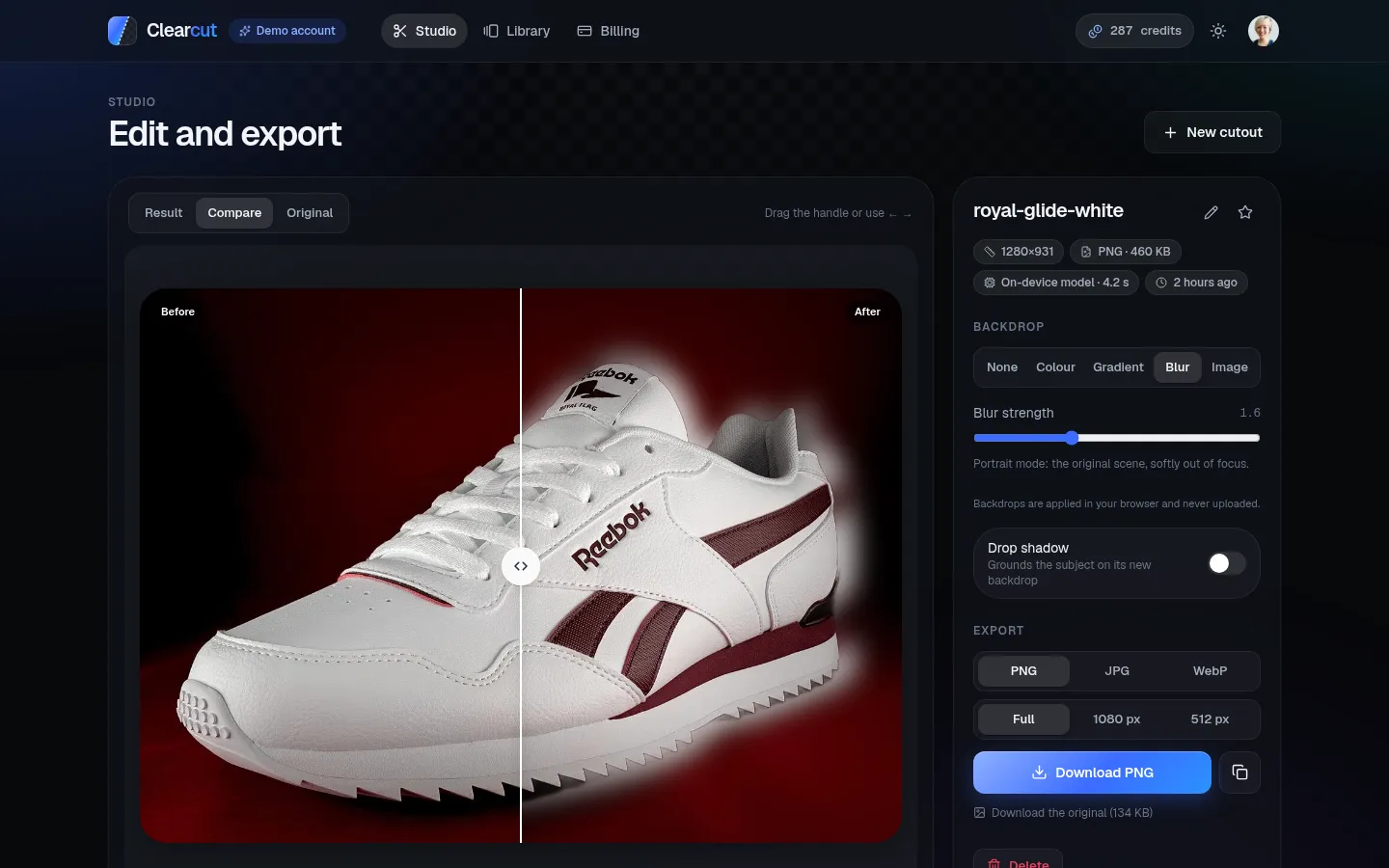
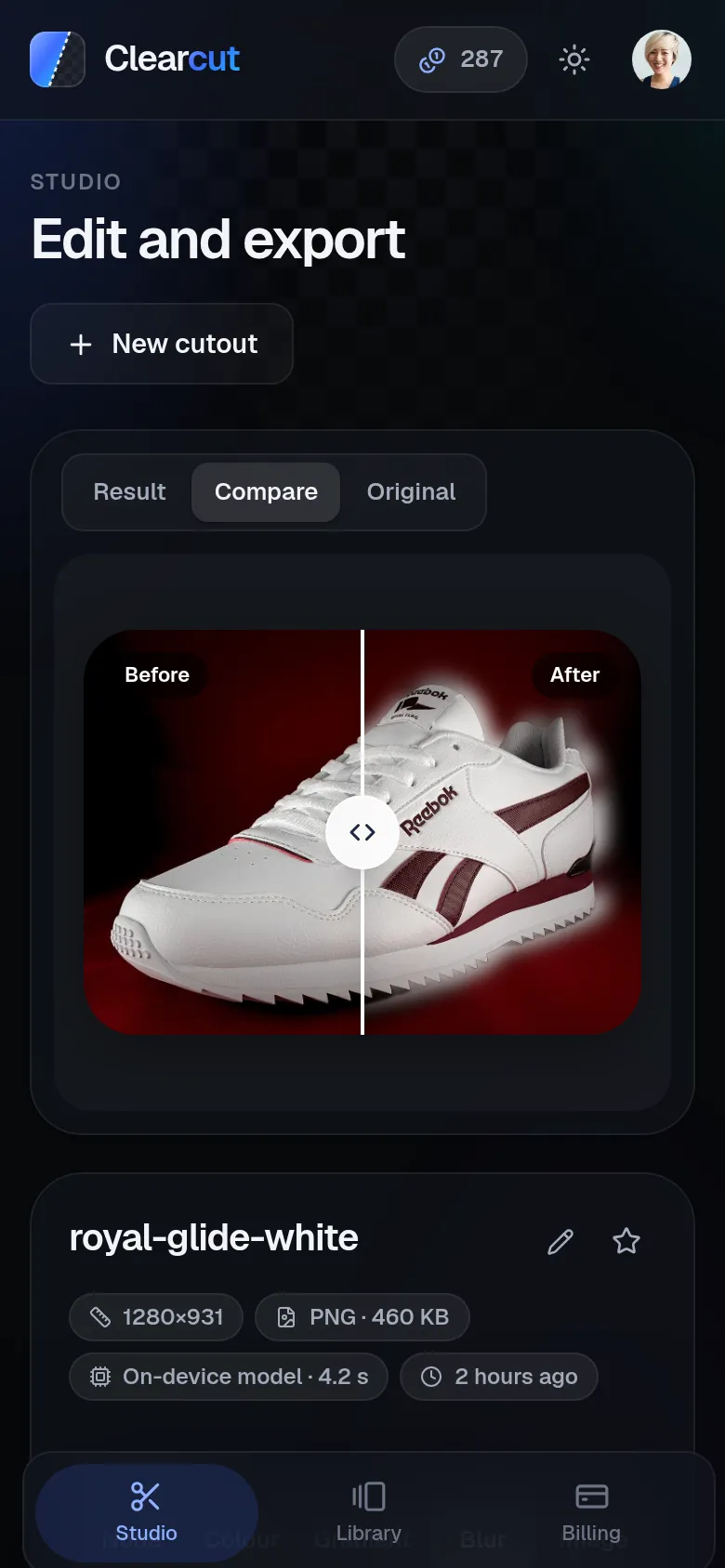
- EditingBeforeDownload the PNGAfterCompare slider, backdrops, drop shadow, PNG/JPG/WebP at 3 sizes, copy to clipboard
- HistoryBeforeNothing was keptAfterA library of every cutout: search, favourites, rename, re-download
- SecurityBeforeJWT decoded without verification; credits added from a URL flagAfterVerified sessions, verified payments, atomic credits, signed URLs, 31 checks
Free IMG.LY model by default, paid engines optional
One setting switches to ClipDrop or remove.bg for anyone who wants them; the default costs nothing.
Export rendered in the browser
Backdrops, shadows and resizing happen client-side, so composited images never leave your device.
Atomic credits with automatic refunds
One credit per cutout, refunded if processing fails. Payments are verified with Stripe or Razorpay before credits are added.
- Drag and drop, file picker or paste
- Result / Compare / Original views with a before/after slider
- Backdrops: colour, gradient, blurred original or your photo
- PNG, JPG or WebP at full size, 1080 px or 512 px
- Library with search, favourites and paging
- 5 free credits, refunds on failure
- Credit packs via Stripe or Razorpay (UPI, cards, netbanking)
- Purchase history and a 14-day usage chart
Clerk-verified sessions and payments verified with the provider before credits are added.
A migrate script, foreign keys and check constraints; credits change atomically.
Library images are served through signed links.
Security tests against the running API.
Making the editor feel instant on a phone: the compare slider, backdrops and export all have to work with touch and arrow keys.
Defaults are a product decision. A free default engine changed who can use the app, and how much it costs to keep online.